Walkthrough
One job, from the map to the file.
Seven screens of the real product, in the order the work actually happens. No slides — the point is not that Panther has six modules, it is that they are the same record.
- Find the work
- Win the work
- Run the work
- Keep the work
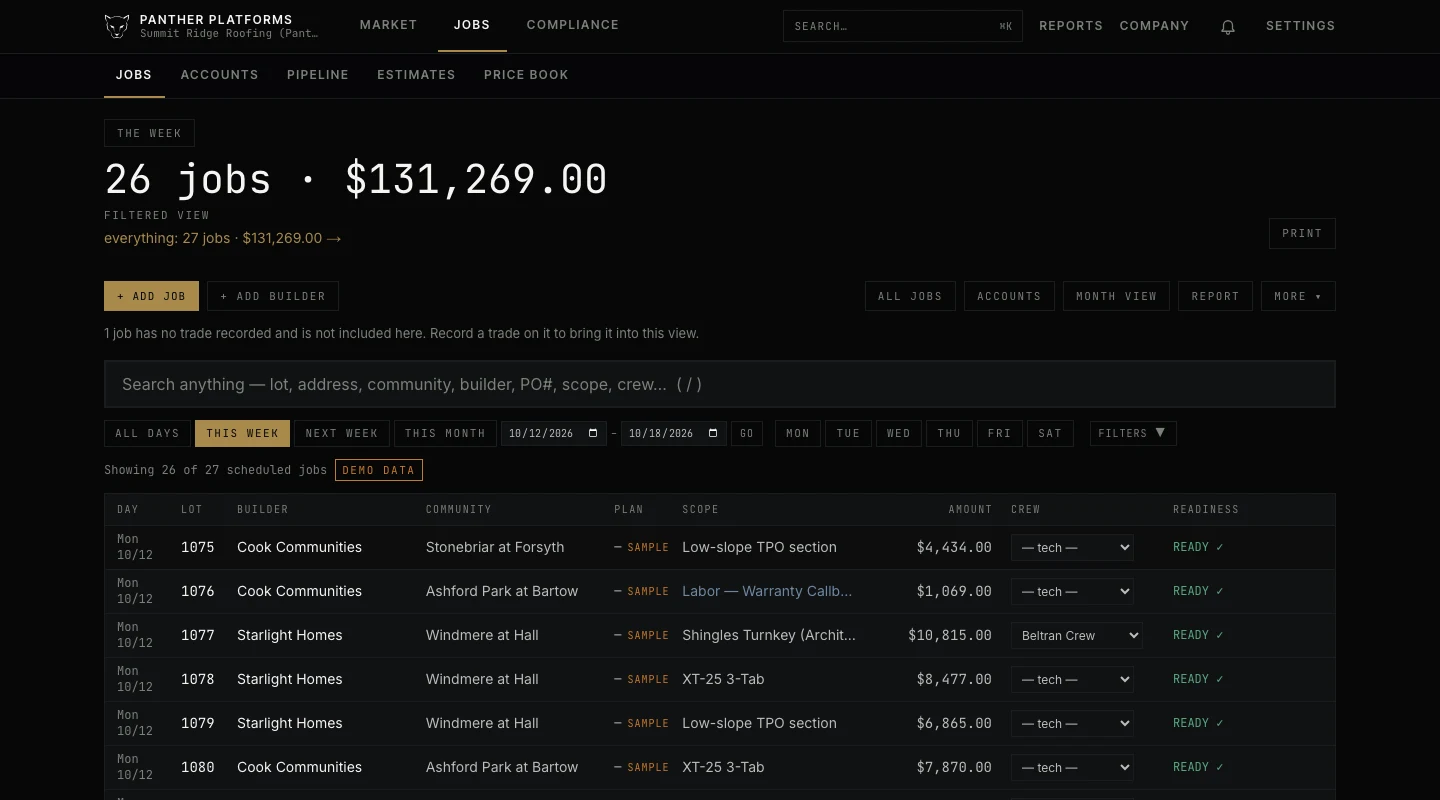
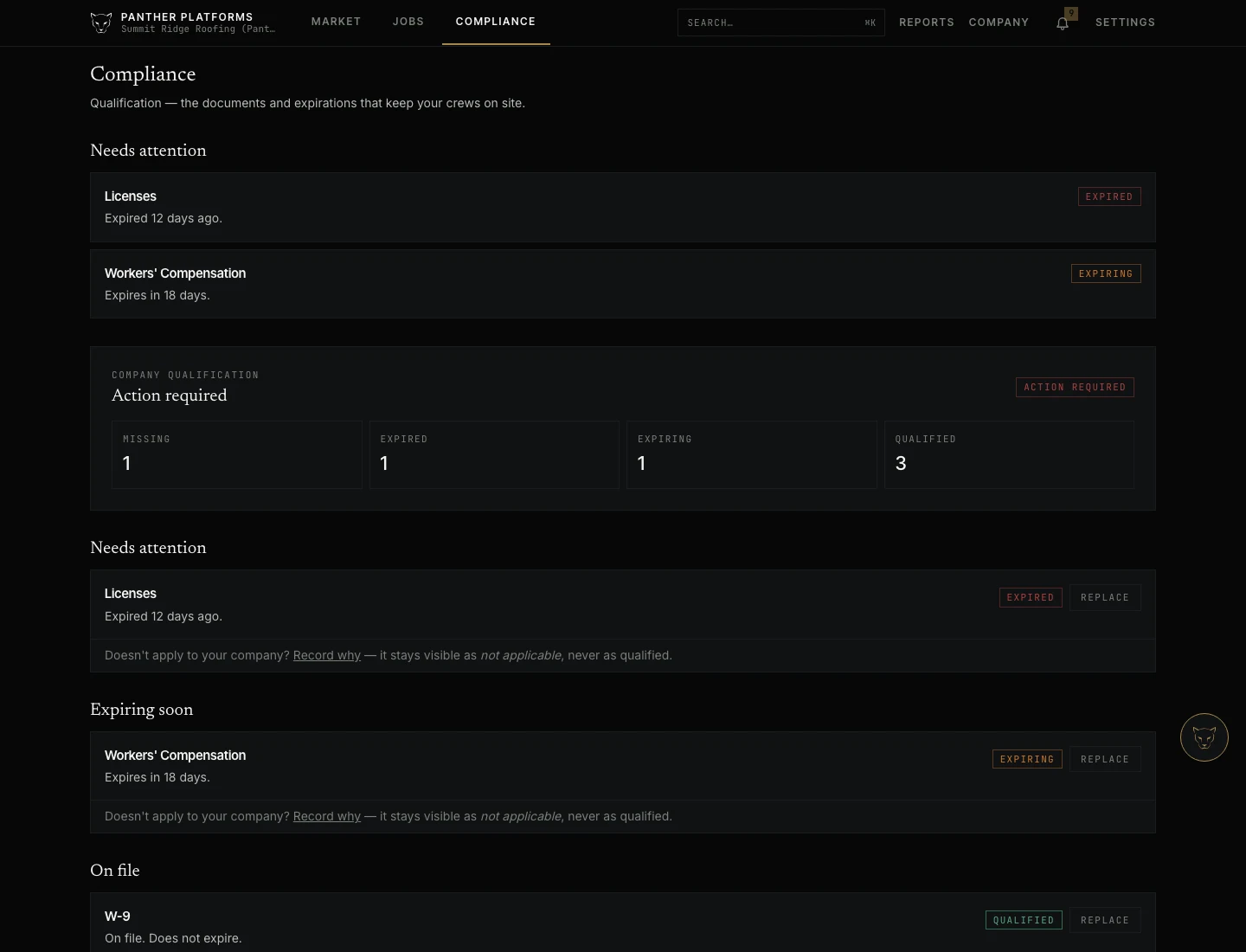
Every screen below is the real product running on Summit Ridge Roofing, a demonstration company we built so there would be something honest to photograph. Panther labels its own sample data in the interface, and those labels are left in every image.
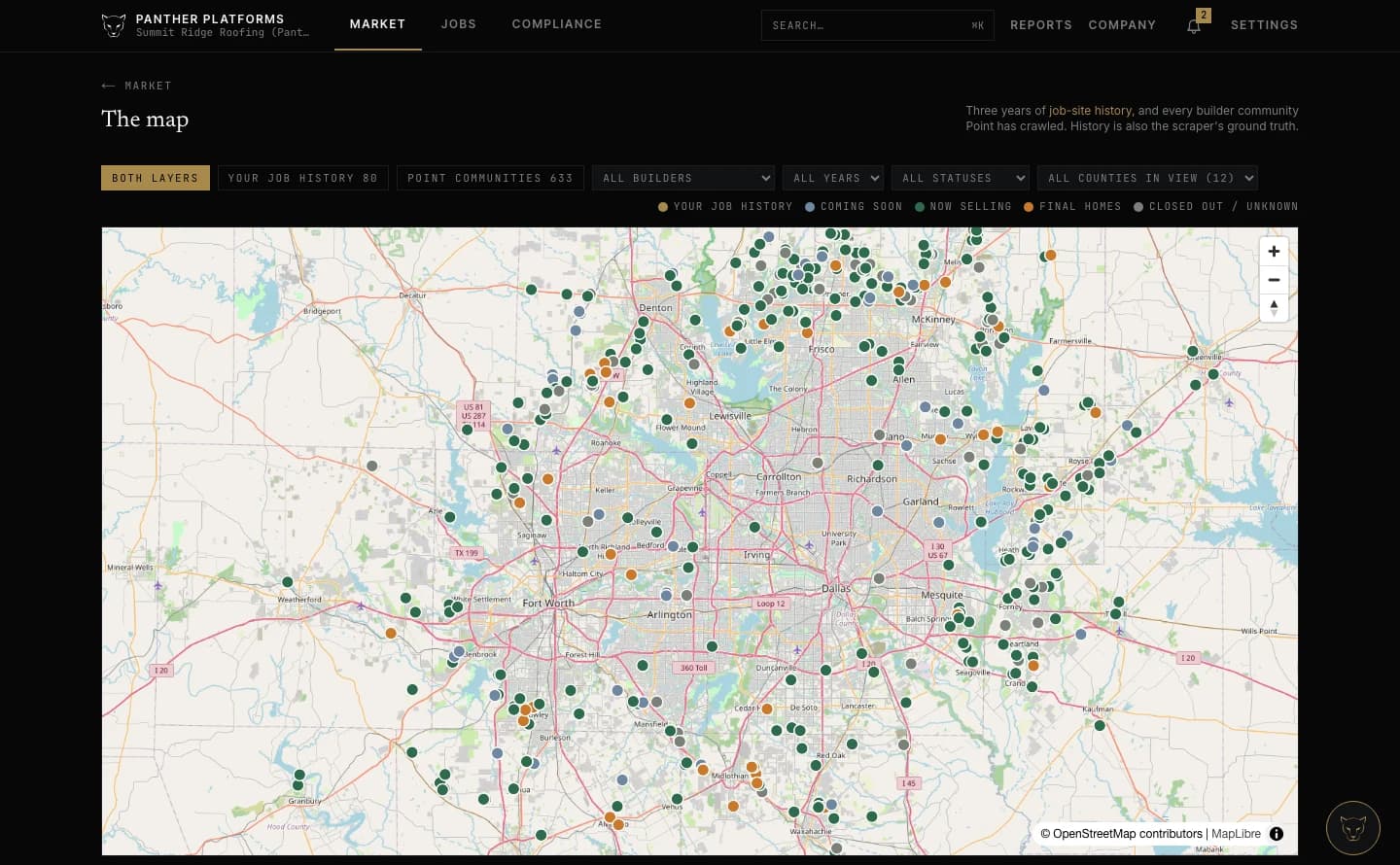
Start where the work is forming
Market keeps a national picture of builder communities — opening, selling, closing out. Filter to the counties you actually work in and the list follows the view, so you are looking at your market rather than the whole country.
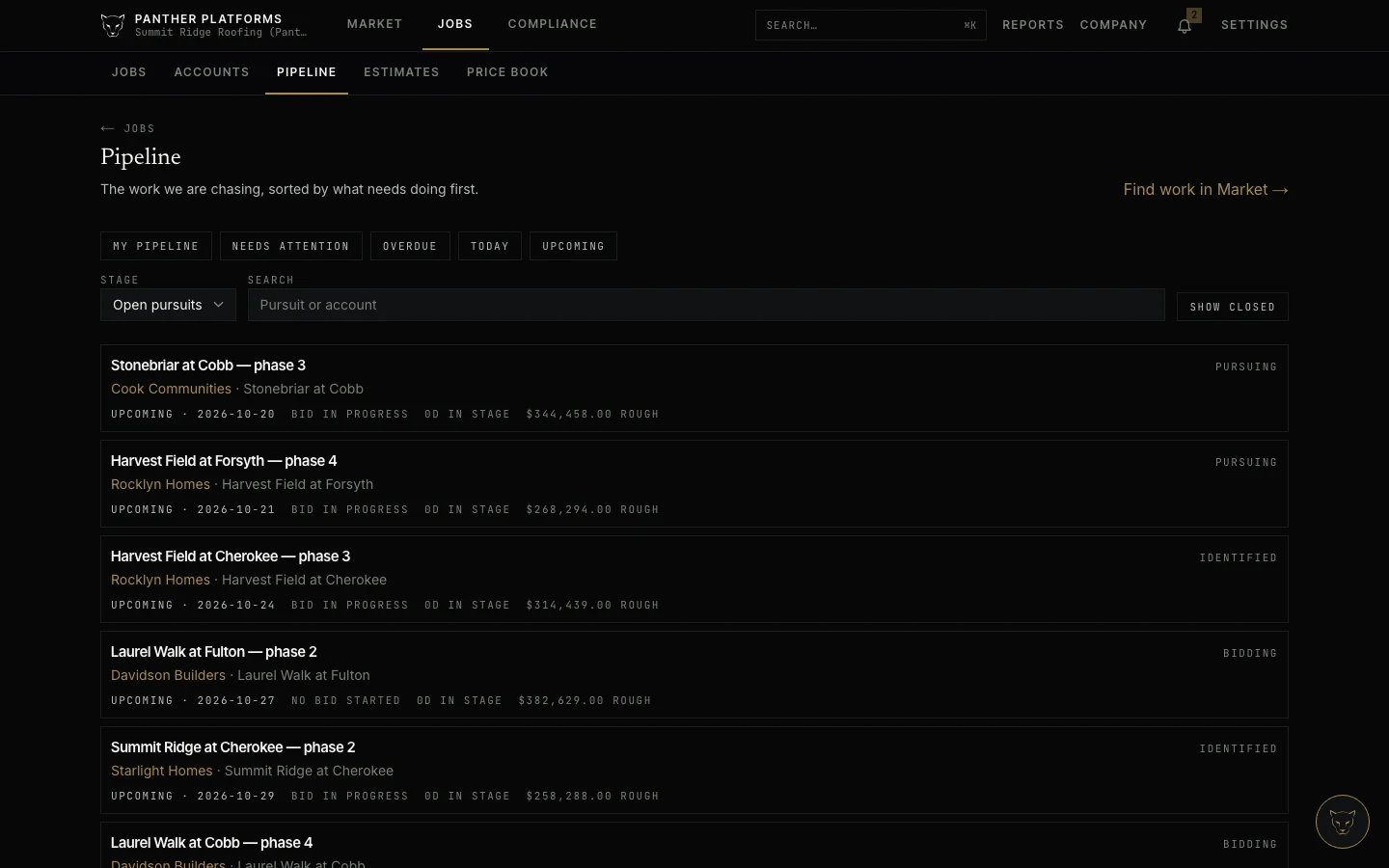
Carry it into the relationship
A community you decide to chase becomes an opportunity against the builder it belongs to. The account, the contacts and the follow-ups are the same records the job and the compliance file will use.
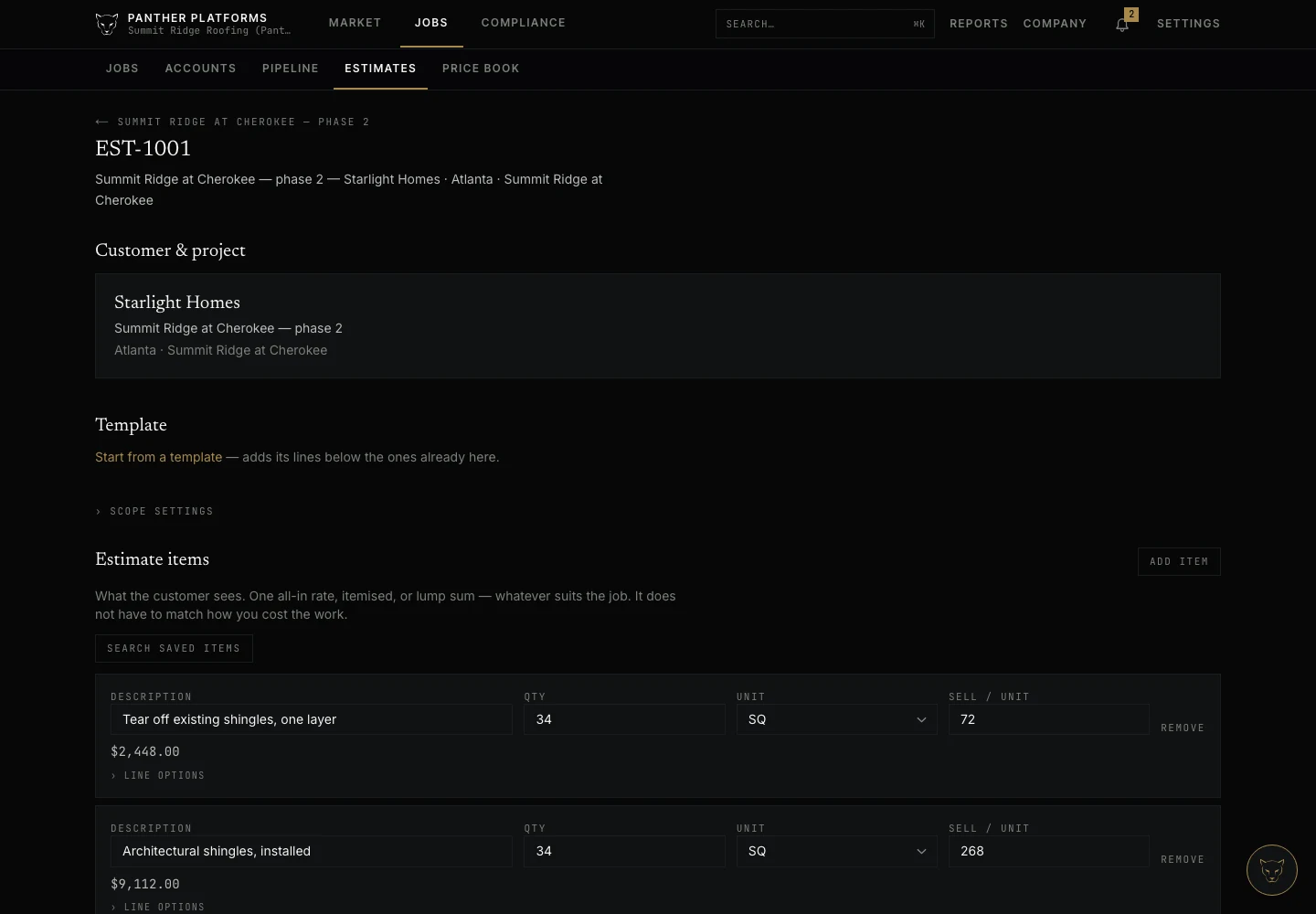
Price it against your own book
Build the estimate from saved items or a template, with quantity, unit and sell rate on every line. Review what it earns before it goes anywhere near the customer.
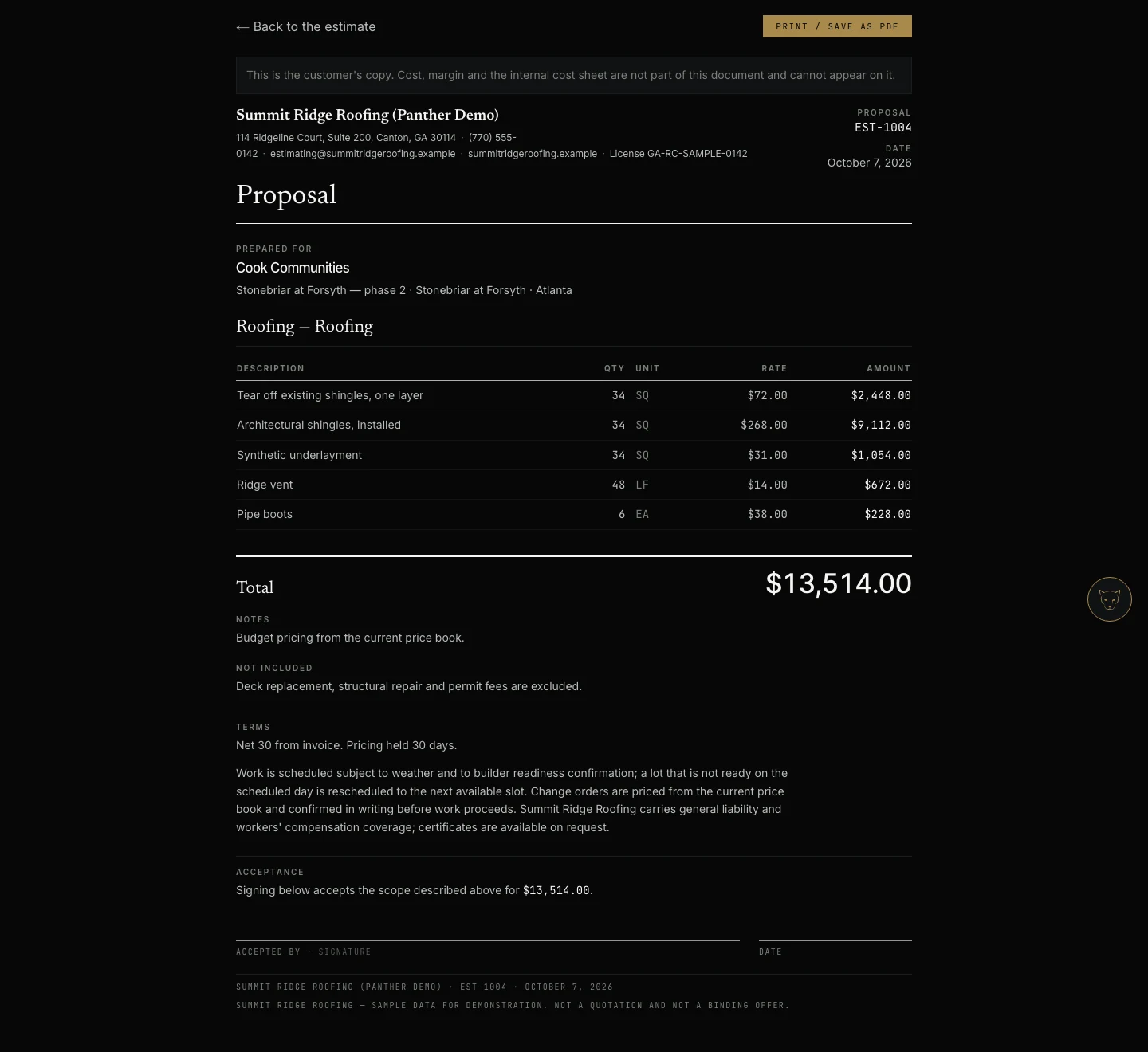
Send something you are not embarrassed by
The proposal is generated from that estimate and carries none of its internals. Your cost and your margin stay on your side of the conversation.
Put it on the schedule
Won work becomes jobs: the purchase order against the lot, the crew, the scope and whether the lot is ready. The week is one view, and the jobs that need attention are surfaced rather than hunted for.
Know what the weather may do to it
Panther checks the forecast against the jobs you have scheduled and says which counties are affected and why — and which are checked and clear. It does not move your work. Detect, alert, explain; you decide.

Stay qualified for the next one
The builder's requirements follow the relationship. What is qualified, what is expiring and what needs action are distinguished, with the documents attached — before a lapse costs you an award you already won.
Want to see it on your own work?
Join Early Access and we’ll be in touch when Panther is far enough along to be useful to you. No payment today.
hello@pantherplatforms.io